
 This is part of the Total Usability Series that was originally published in 2007. A decade later, usability is more important than ever, so we are revisiting this series and updating all of the articles. This post was updated 9/28/2017.
Customers who, by all means, appear to be ready to make a purchase are often found abandoning their shopping carts before they complete their online transaction. In many cases, this is part of the normal online shopping experience. The shopping cart is often used as a place to collect items of interest but which the user has no real intent to purchase. But all too often, a frustrating shopping cart page that is not user friendly leads visitors to abandon items they really do want.
8 Ecommerce Shopping Cart Usability Best Practices
While shopping cart abandonment cannot be completely eliminated, it can be dramatically reduced when you follow these best practices for designing a usable shopping cart:
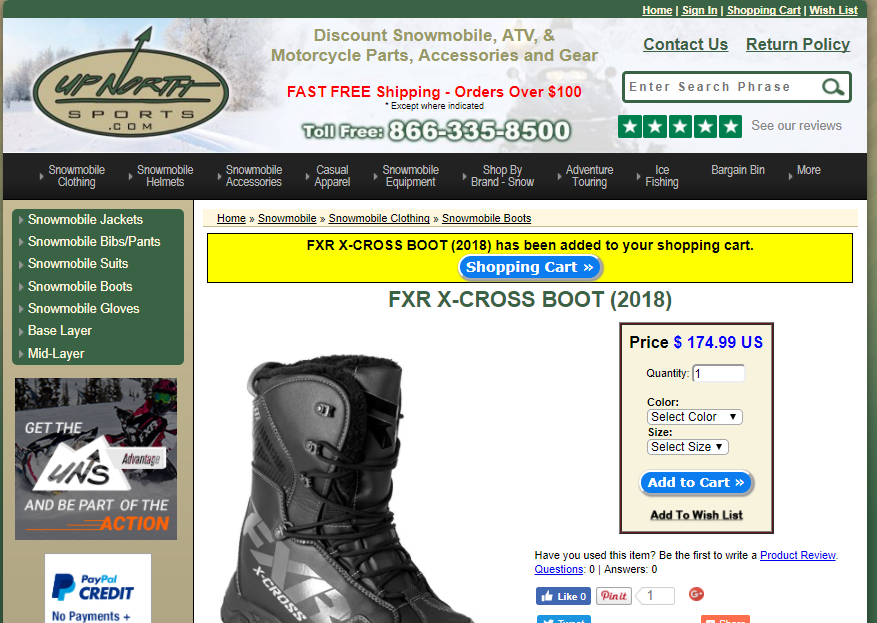
1. Notify Shoppers When Items Are Added
Don’t make the shopper guess if their items were successfully added. Provide notification that the item was added with a link to the shopping cart.
2. Provide Product Details and Images
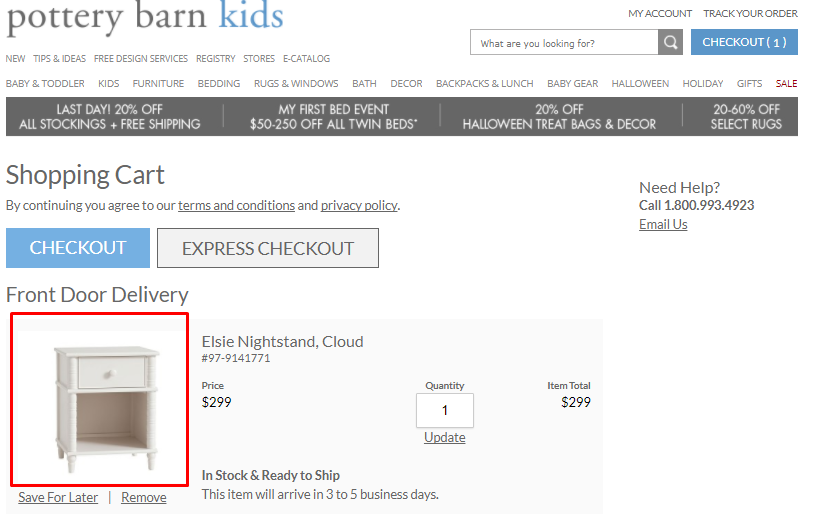
Visitors should not have to return back to the product page to review the most pertinent details of an item they’ve selected. You obviously can’t provide a complete product description in the cart, but you can provide two or three sentences highlighting the main details.
The short description should be accompanied by a clear picture, again ensuring the visitors doesn’t have to return to the product page to remember what the item is.
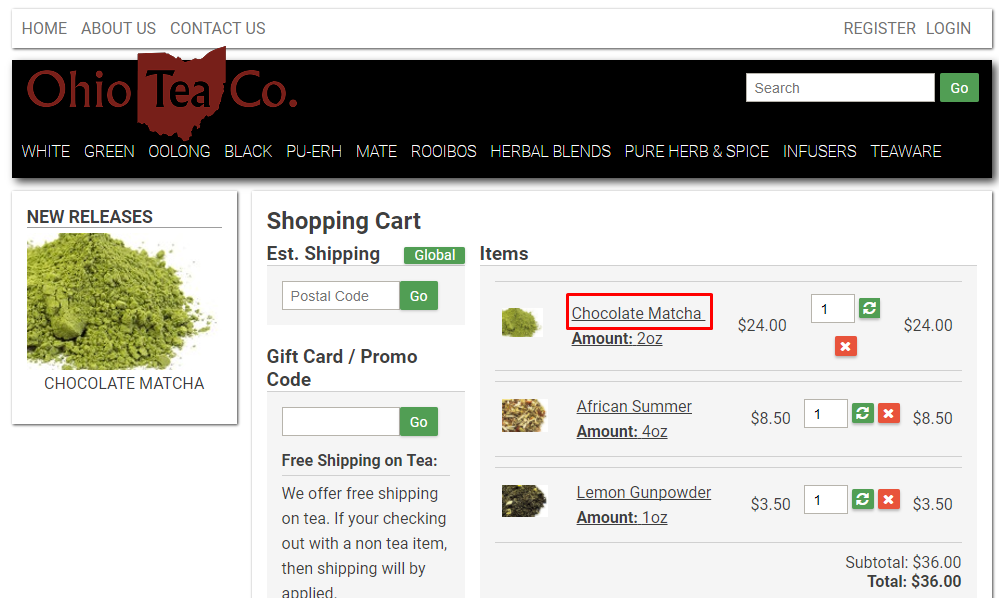
3. Display Link to Product Page
While the shopping cart should provide the main details and a picture, you should also make it easy for them to return to the product page just in case they need more information. Link the product name to the product page.
4. Clearly List Pricing
From the shopping cart, the visitor should be able to clearly see the price of each item as well as the total price, including shipping and tax, if possible.
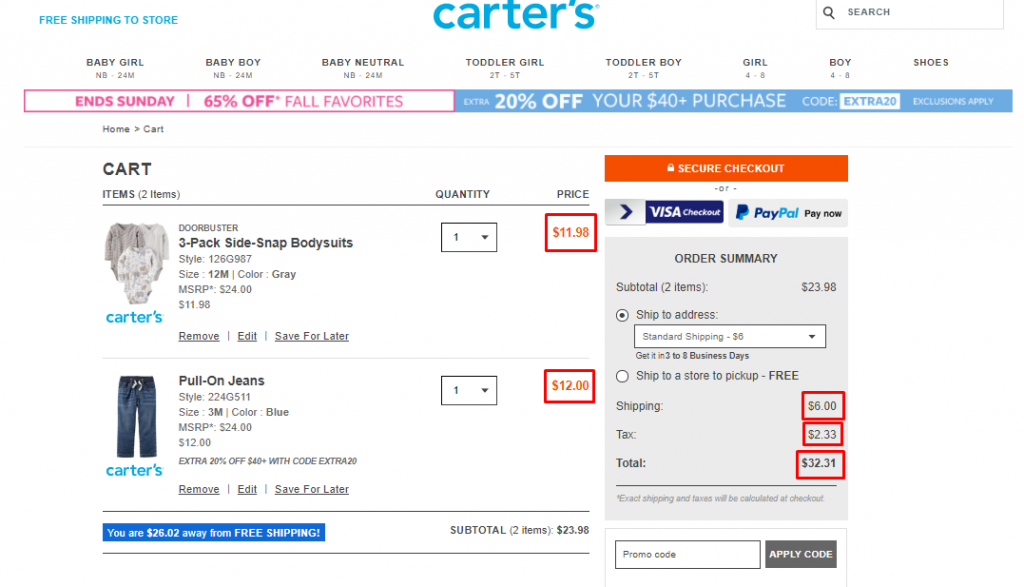
5. Make It Easy to Edit Items
Shoppers should not have to jump through hoops to make changes to their selections. The shopping cart page should allow them to easily change quantities and delete items.
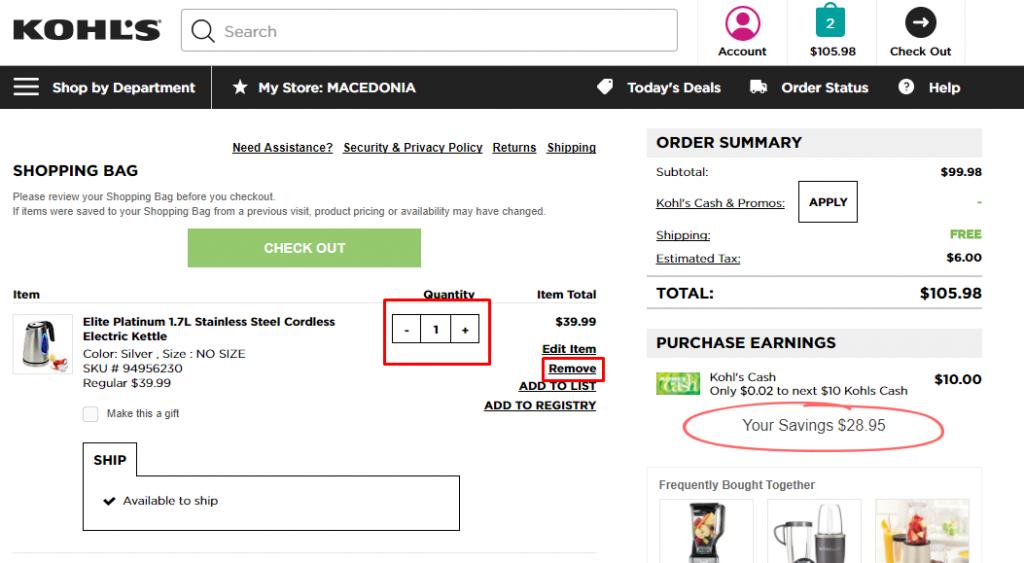
6. Make Shoppers Feel Secure
No matter how much a visitor may want an item, they won’t buy if they don’t trust the site. There are a number of things that can and should be added to the cart that provide shoppers with an additional sense of security:
- Links to your privacy policy
- Security symbols
- Links to return and refund policies
- Contact information
- Links to product guarantees
7. Answer Shipping questions
It’s extremely helpful provide links to shipping options, costs, and estimated delivery date. If you provide free shipping to a physical store, make sure you indicate that. Also let them know what to do if there is an error with their order after they have received it. Make it clear whether or not you ship internationally and any information shoppers should know about that option.
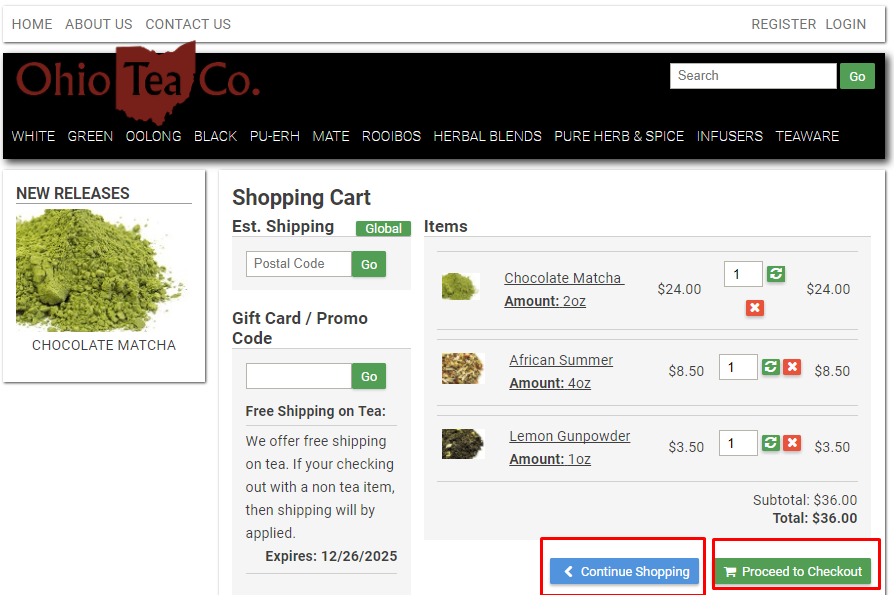
8. Provide Checkout and Continue Shopping Links
It should go without saying, but it’s critical that your shopping cart has a checkout link. Don’t make visitors hunt for it or wonder how they can complete their purchase. Make the checkout link clear and easy to find.
In case they aren’t ready to checkout, though, make sure you also provide a “Continue Shopping” link, too, so they have the opportunity to add more items to the order, if they wish.
Make Shoppers Feel Safe and Secure
If your shoppers are truly ready to buy, the last thing you want to do is to give them an opportunity to back out because they just don’t “feel right” about the purchase. A well-designed, usable shopping cart page can help ensure these shoppers feel safe and have everything they need to make the final purchase decision.